


 [Free] conanair Dedicated Browser Analysis Tools



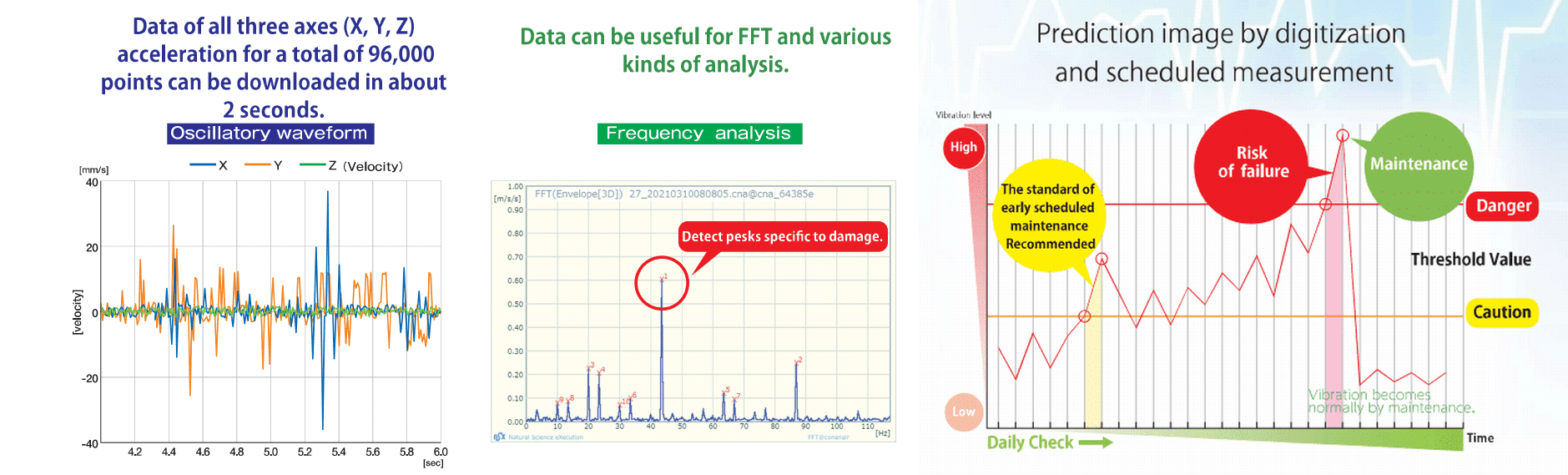
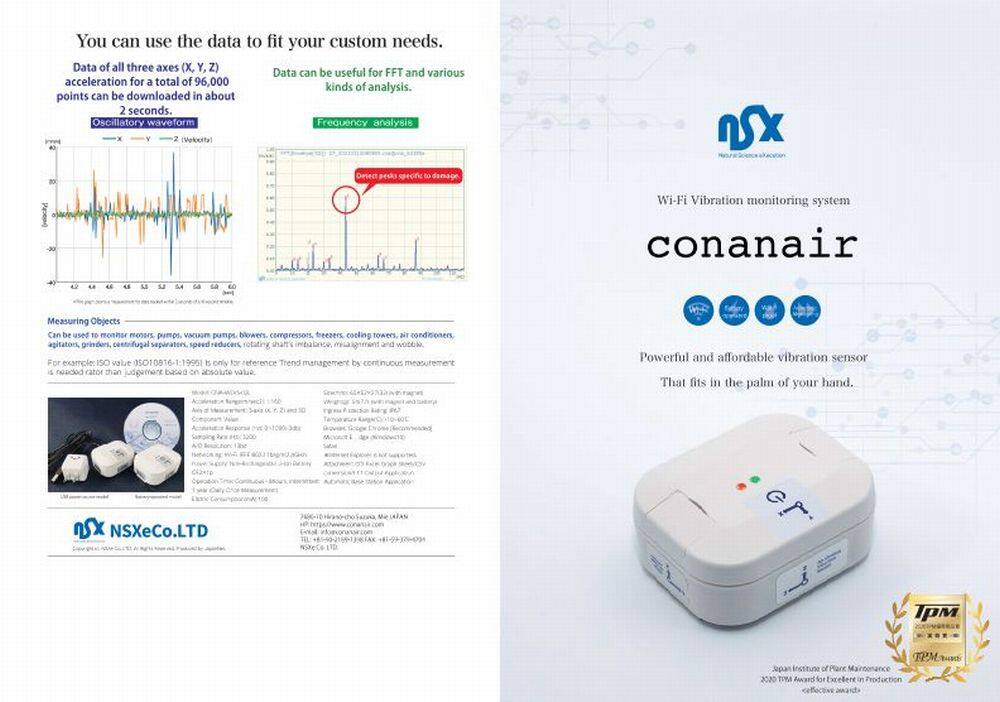
This is the catalog & material download page for conanair. You can download product specifications, user manuals, and companion software here to help you evaluate and implement predictive maintenance.
These are free, installation-free web tools that allow you to perform data analysis and condition monitoring directly in your browser. They can be used for various purposes, from simple diagnostics to precision diagnostics. (*To ensure confidentiality, no data is transmitted to external servers.)
Batch load multiple measurement data files (.cna/CSV) to automatically graph the trends of velocity and acceleration RMS for each measurement point. In addition to detecting upward trends and sudden spikes, it automatically determines abnormal equipment trends based on the threshold values (Caution/Danger) in the point definition file.
 Batch Graph Multiple Data | Open Trend Analysis Tool View User Manual (PDF)
Download Sample Data for Testing (.zip)
Instantly display waveforms and frequency components (FFT) by simply dragging and dropping the acquired raw data (CSV/CNA) or using the select button at the bottom of the screen, helping you identify the causes of abnormalities.
Raw Waveform & Frequency Analysis | Open FFT Analysis App View User Manual (PDF)
These are free, installation-free web tools that allow you to perform data analysis and condition monitoring directly in your browser. They can be used for various purposes, from simple diagnostics to precision diagnostics. (*To ensure confidentiality, no data is transmitted to external servers.)
Batch load multiple measurement data files (.cna/CSV) to automatically graph the trends of velocity and acceleration RMS for each measurement point. In addition to detecting upward trends and sudden spikes, it automatically determines abnormal equipment trends based on the threshold values (Caution/Danger) in the point definition file.
Batch Graph Multiple Data | Open Trend Analysis Tool
Download Sample Data for Testing (.zip)
Instantly display waveforms and frequency components (FFT) by simply dragging and dropping the acquired raw data (CSV/CNA) or using the select button at the bottom of the screen, helping you identify the causes of abnormalities.
Raw Waveform & Frequency Analysis | Open FFT Analysis App
Download the comprehensive catalog detailing the conanair product lineup, specifications for each model, and the core benefits of our wireless vibration sensors.
conanair Product Catalog (ZIP)
Download the complete set of user manuals and the dedicated application software required to configure the conanair sensor and connect it to your PC or network.
Manuals & Accompanying Applications (ZIP)
From automating daily patrol inspections to precision diagnosis when anomalies occur, these are free tools that allow you to immediately utilize data (CSV/cna) acquired by conanair without any programming. We offer a dashboard that judges and color-codes measurement points at once, trend graphs that visualize the transition of each axis, and a frequency analysis (FFT) app that works in your web browser. Please download the ZIP files below according to your needs. For detailed instructions on how to use the tools and guidelines for setting thresholds, please refer to this guide page.
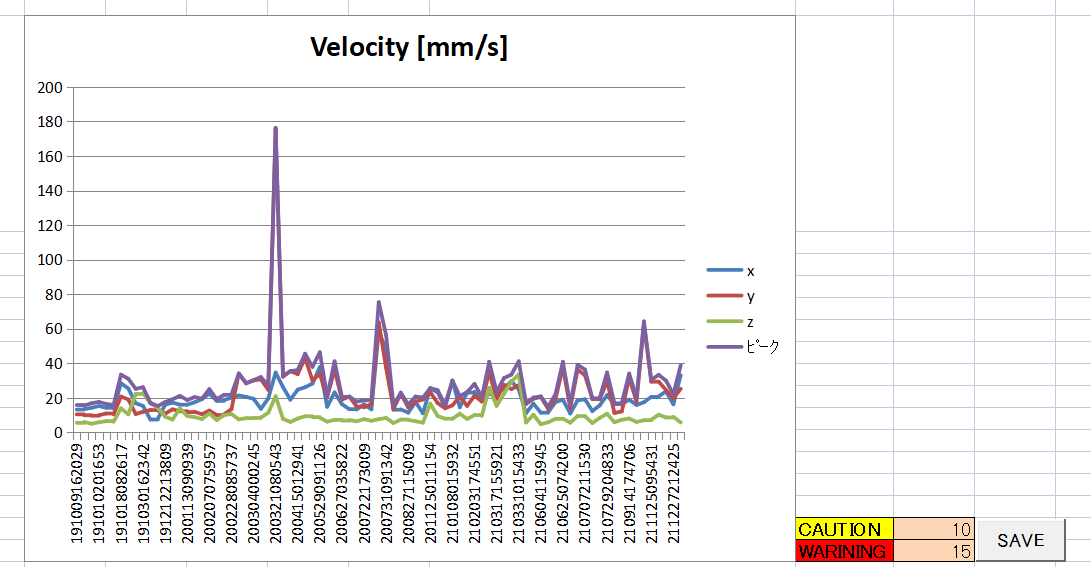
Download Simple Diagnosis Macro 1 (List Display & Threshold Management)
Download Simple Diagnosis Macro 2 (Trend Graph Creation)
Download Precision Diagnosis App 3 (FFT@conanair) and Sample Data
Download Reference Simple Diagnosis Macro Excel Sheet and Sample Data
The reference file above includes sample CSV data for demonstration, allowing you to experience list displays and trend graphs. The "Simple Diagnosis Macro" includes a "Guide" sheet explaining everything step-by-step, from initial settings to importing data and reading results. Even if unfamiliar with Excel, simply following this guide lets you start trend management immediately. Please read the Guide sheet first after downloading.
For visual, step-by-step instructions on setting up Wi-Fi and taking your first measurements with conanair, please check our operation guide page below. We highly recommend reviewing this if you are a first-time user.
Video & PDF Guide: conanair Operation Manual ( next page )
| Company Name | NSXe Co.Ltd - Nakayama Hydrothermal Industry Co., Ltd. |
|---|---|
| Head Office | 7686-10 Hirano-cho, Suzuka, Mie513-0835, Japan zip code 513-0835 |
| Phone | +81-90-2189-1398 |
| FAX | +81-59-379-4704 |
| Business Hours | 8:00~17:00 |
| Office Regular Holiday |
Saturday afternoons, Sundays and public holidays |
| URL | https://conanair.com/ |
| Company Name | NSXe Co.Ltd - Nakayama Hydrothermal Industry Co., Ltd. |
|---|---|
| Head Office | 7686-10 Hirano-cho, Suzuka, Mie513-0835, Japan zip code 513-0835 |
| TEL | +81-90-2189-1398 |
| FAX | +81-59-379-4704 |
| Business Hours | 8:00~17:00 |
| Office Regular Holiday |
Saturday afternoons, Sundays and public holidays |
| URL | https://conanair.com/ |